
How to Check On-Page SEO Online
Checking on-page SEO online can help you spot issues that make it harder for search engines and visitors to understand your website. An online SEO checker can review elements such as page titles, headings, content, links and images, giving you a useful starting point for improvements.
However, no tool can judge every aspect of a page perfectly. Use automated checks alongside your own review of the content, user experience and purpose of the page.
What is on-page SEO?
On-page SEO covers the content and HTML elements on an individual web page. The aim is to make each page clear, useful and accessible, while helping search engines understand what it is about.
Common on-page SEO elements include:
- The page title and meta description
- Headings and page structure
- Main copy and the topics it covers
- Internal and external links
- Image file names and alternative text
- The page URL and canonical tag
- Mobile usability and loading performance
- Structured data, where appropriate
How to check on-page SEO online
Choose a page to review
Start with a specific page rather than checking your whole website at once. You might choose a key service page, product page or article that you want people to find through search. Make sure the page is published and accessible to search engines before running a check.
Enter the page URL into an SEO checker
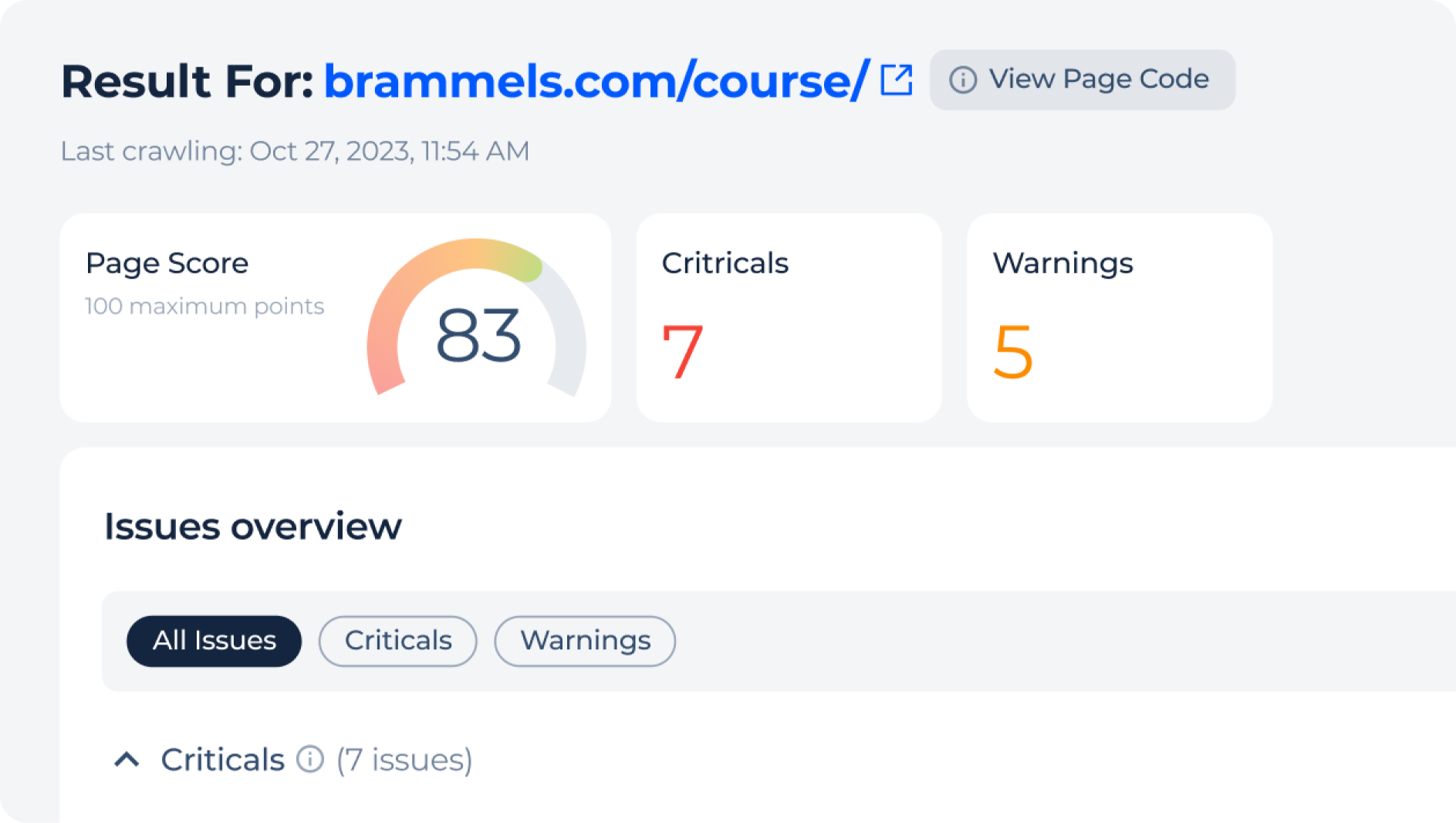
Many online SEO tools let you enter a URL and receive a report. Depending on the tool, the report may identify missing metadata, heading issues, broken links, image problems, slow loading times or mobile usability concerns.
Use the report as a list of things to investigate, not as a definitive verdict. Different tools use different tests, and a low score does not necessarily mean that a page will perform poorly in search results.
Review the title tag
The title tag is a key page element that can appear as the clickable headline in search results. Check that it accurately describes the page and is distinct from titles used on other pages. It should read naturally and help people understand what they will find.
Avoid forcing in repeated keywords or making promises the page does not fulfil. Search engines may also choose to display a different title in their results.
Check the meta description
A meta description summarises the page and may be shown beneath its title in search results. A good description is clear, relevant and written to encourage the right visitor to click. It should reflect the actual content rather than simply repeat a list of search terms.
Meta descriptions are not a direct ranking guarantee, and search engines may generate their own snippet. They can still help present your page clearly to potential visitors.
Look at headings and page structure
Headings make content easier to scan and help establish its structure. Check that the main heading clearly describes the page, and use subheadings to organise related sections. Headings should be meaningful rather than selected only to include keywords.
Review the page as a reader, too. If the headings do not make the subject and flow of the content clear, consider reorganising them.
Assess the content
An online checker can flag issues such as thin copy or repeated phrases, but it cannot fully assess whether the page meets a reader’s needs. Ask whether the content is accurate, useful and sufficiently detailed for its purpose. Check that it answers the questions a visitor is likely to have and offers information that is not simply copied from other pages.
Use relevant terms where they fit naturally. There is no need to repeat the same phrase in every paragraph. Read the page aloud or ask someone unfamiliar with the subject to review it for clarity.
Check links and images
Make sure internal links lead to relevant pages and use descriptive link text. Fix broken links where possible, and check that important pages are not difficult to reach from elsewhere on your website.
For images, use clear file names and provide alternative text when an image conveys information. Decorative images can generally have empty alternative text. Alternative text should describe the image’s purpose, not be used to insert unrelated keywords.
Review mobile usability and speed
Visitors may access your page on phones, tablets and desktop computers. Check that the content is readable on smaller screens, buttons are easy to use and the layout does not require awkward horizontal scrolling. Online performance tools can also highlight large images, excessive scripts or other factors that may affect loading speed.
Performance results can vary according to the device, connection and testing conditions. Treat them as diagnostic information and prioritise issues that have a noticeable effect on real visitors.
Check technical page signals
Some online tools can help you inspect whether a page is indexable, whether it has a canonical URL and whether structured data is present. These checks can be useful when pages have been moved, duplicated or updated.
If you are unsure what a technical warning means, investigate it before making changes. Removing or editing important tags without understanding their purpose can create new problems.
What to do after an SEO check
Prioritise fixes according to their likely impact. Correct inaccurate page information, resolve broken links and improve confusing or unhelpful content before spending time on minor score improvements. Record changes so you can compare performance later.
After updating a page, check it again and monitor relevant data over time. Search visibility can change for many reasons, and improvements may not appear immediately. Tools such as website analytics and search performance reports can help you understand how visitors find and use the page.
On-page SEO checklist
- The page has a clear, accurate title.
- The meta description reflects the content.
- The main heading explains the page’s subject.
- Subheadings make the content easy to scan.
- The copy is useful, original and written for people.
- Internal links are relevant and working.
- Images are appropriately sized and have suitable alternative text.
- The page works well on mobile devices.
- Technical signals, such as indexing and canonical settings, are correct.
Use online SEO checkers as a starting point
Checking on-page SEO online is a practical way to find potential issues and create a plan for improving a web page. The most useful approach combines automated reports with human judgement: fix genuine problems, keep the content helpful and make the page easy to use. A tool can highlight opportunities, but the goal is a better experience for visitors—not simply a higher score.
6 Essential Tips for Optimising On-Page SEO Effectively
- Check your page title and meta description.
- Review headings for a clear structure.
- Check that target keywords appear naturally.
- Test image alt text and file names.
- Scan for broken links and missing pages.
- Check mobile usability and page speed.
Check your page title and meta description.
Check that your page title clearly and accurately describes the page, and is unique across your website. Write a concise meta description that summarises what visitors will find and gives them a reason to click. Include relevant search terms naturally, but avoid keyword stuffing; search engines may choose to display different text in results.
Review headings for a clear structure.
Review your headings to make sure they create a clear, logical structure for readers and search engines. Use one main heading to describe the page, then organise related information under descriptive subheadings. A well-structured page is easier to scan and helps visitors find the answers they need. Avoid using headings solely to add keywords; they should accurately describe the content that follows.
Check that target keywords appear naturally.
Check that your target keywords appear naturally in the page’s title, headings and copy where they help explain the topic. Avoid repeating them simply to influence rankings, as this can make the text awkward and less useful to readers. Focus on clear, relevant writing, using related terms where they fit naturally.
Test image alt text and file names.
Check your images as part of an online on-page SEO review. Use clear, descriptive file names that explain what each image shows, rather than generic names such as “IMG_1234”. Add concise alt text to images that provide useful information, describing their content or purpose for people using screen readers. Decorative images can usually have empty alt text. Keep descriptions accurate and natural, and avoid cramming in keywords.
Scan for broken links and missing pages.
Scan your page for broken links and missing pages as part of your on-page SEO check. Links that lead to errors can frustrate visitors and make it harder for search engines to discover and understand your site. Use an online link checker to find URLs that return errors, then update them, restore the missing page or redirect the link to the most relevant alternative. Recheck the page after making changes to ensure the links work correctly.
Check mobile usability and page speed.
Check how your page looks and works on mobile devices, where text should be easy to read, buttons simple to tap and content free from awkward horizontal scrolling. Use an online page-speed tool to identify issues such as oversized images or scripts that may slow loading. Treat its results as a guide: testing on real devices and prioritising problems that affect visitors can help you make practical improvements.